
CartProducts
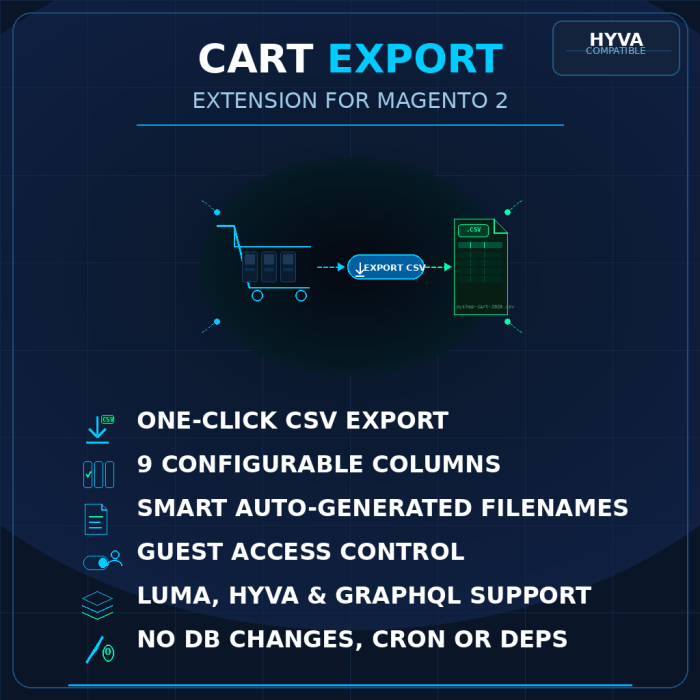
BlueFairy Cart Export adds a one-click CSV download button to the Magento 2 shopping cart page. Store admins can choose which columns to include, control guest access, and the filename is automatically derived from the store domain. Ships with Luma, Hyva (Alpine.js), and GraphQL support across three lightweight, independently installable modules.
$0.00
In stock
Secure Checkout
Instant Download
Free Updates
Magento 2.4 Compatible
Expert Support
Or pay with
Export Cart Contents to CSV in One Click
BlueFairy Cart Export gives your customers a simple Export Cart button on the shopping cart page. One click downloads a clean CSV file containing their cart items — perfect for purchase approvals, budget tracking, or sharing with procurement teams.
Key Features
- One-click CSV export — customers download their cart contents as a CSV file directly from the cart page
- Configurable columns — choose from 9 columns: Product Name, SKU, Price, Qty, Row Total, Image URL, Product URL, Options / Attributes, and Discount
- Smart filenames — automatically generated from your store domain and the current date (e.g.
myshop-com-cart-2026-04-09.csv) - Guest access control — enable or disable CSV export for guest shoppers with a single toggle
- Luma + Hyva support — works out of the box with both Magento Luma and Hyva themes
- GraphQL API — expose cart export via GraphQL for headless and PWA storefronts
- Secure by design — CSRF-protected POST endpoint, form key validation, no sensitive data in URLs
- Lightweight — no database changes, no cron jobs, no external dependencies
How It Works
- Install the module and enable it in Stores > Configuration > Sales > Cart Export
- Select which columns you want in the exported CSV
- Customers see an "Export Cart" button on the cart page
- Clicking the button downloads a CSV file with the selected columns
Three Modules, One Suite
| Module | Purpose |
|---|---|
BlueFairy_CartProducts |
Core — controller, CSV service, admin config, Luma frontend |
BlueFairy_CartProductsHyva |
Hyva theme companion — Alpine.js export button |
BlueFairy_CartProductsGraphQl |
GraphQL companion — cartExport query with base64 response |
Install only the modules you need. The Hyva and GraphQL companions are optional and depend on the core module.
Built for Quality
- PHPStan level 8 — zero errors across all three modules
- 100% unit test coverage with PHPUnit
- Integration tests against a real Magento database
- Jest tests for the Alpine.js frontend component
- PSR-12 coding standards
- PHP 8.3+ with strict types throughout
Requirements
- Magento 2.4.x
- PHP 8.3+
- Hyva Theme (optional — for
BlueFairy_CartProductsHyva) - Magento GraphQL modules (optional — for
BlueFairy_CartProductsGraphQl)
Write Your Own Review
Only registered users can write reviews. Please Sign in or create an account
Export Cart Contents to CSV in One Click
BlueFairy Cart Export gives your customers a simple Export Cart button on the shopping cart page. One click downloads a clean CSV file containing their cart items — perfect for purchase approvals, budget tracking, or sharing with procurement teams.
Key Features
- One-click CSV export — customers download their cart contents as a CSV file directly from the cart page
- Configurable columns — choose from 9 columns: Product Name, SKU, Price, Qty, Row Total, Image URL, Product URL, Options / Attributes, and Discount
- Smart filenames — automatically generated from your store domain and the current date (e.g.
myshop-com-cart-2026-04-09.csv) - Guest access control — enable or disable CSV export for guest shoppers with a single toggle
- Luma + Hyva support — works out of the box with both Magento Luma and Hyva themes
- GraphQL API — expose cart export via GraphQL for headless and PWA storefronts
- Secure by design — CSRF-protected POST endpoint, form key validation, no sensitive data in URLs
- Lightweight — no database changes, no cron jobs, no external dependencies
How It Works
- Install the module and enable it in Stores > Configuration > Sales > Cart Export
- Select which columns you want in the exported CSV
- Customers see an "Export Cart" button on the cart page
- Clicking the button downloads a CSV file with the selected columns
Three Modules, One Suite
| Module | Purpose |
|---|---|
BlueFairy_CartProducts |
Core — controller, CSV service, admin config, Luma frontend |
BlueFairy_CartProductsHyva |
Hyva theme companion — Alpine.js export button |
BlueFairy_CartProductsGraphQl |
GraphQL companion — cartExport query with base64 response |
Install only the modules you need. The Hyva and GraphQL companions are optional and depend on the core module.
Built for Quality
- PHPStan level 8 — zero errors across all three modules
- 100% unit test coverage with PHPUnit
- Integration tests against a real Magento database
- Jest tests for the Alpine.js frontend component
- PSR-12 coding standards
- PHP 8.3+ with strict types throughout
Requirements
- Magento 2.4.x
- PHP 8.3+
- Hyva Theme (optional — for
BlueFairy_CartProductsHyva) - Magento GraphQL modules (optional — for
BlueFairy_CartProductsGraphQl)
Write Your Own Review
Only registered users can write reviews. Please Sign in or create an account