
ProductTabs
In stock
Or pay with
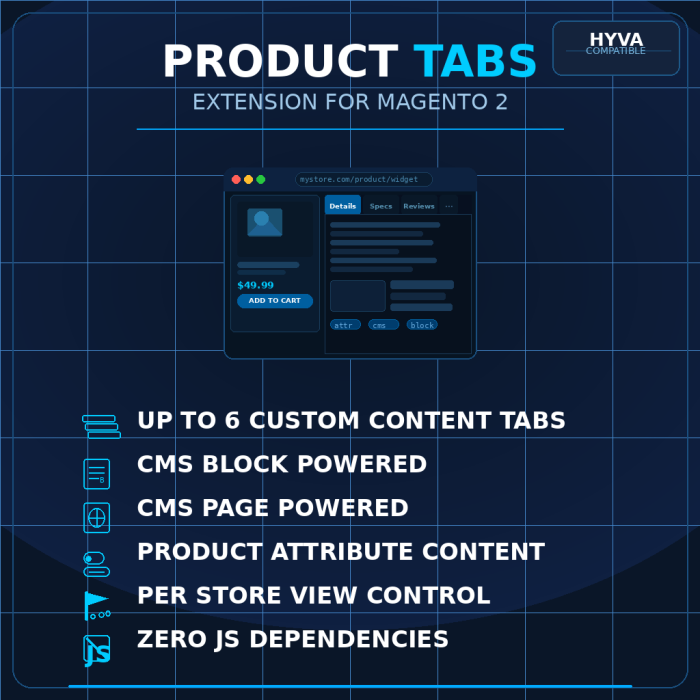
Give every product page the information architecture it deserves. BlueFairy Product Tabs adds up to six fully configurable content tabs to your Magento 2 product detail pages — no coding, no theme changes, no custom JavaScript required. Just clean, organised product information that converts.
Six Flexible Tab Slots Per Product
Each product gets up to six independent tab slots, each capable of displaying one of three content types — whichever has content wins automatically:
- CMS Block — Reuse any existing CMS block. Perfect for warranty information, size guides, shipping policies, or brand story content shared across multiple products.
- CMS Page — Pull the content of any CMS page directly into the tab. Supports all Magento directives and widgets.
- Product Attribute — Display any catalog attribute value. Choose from a dropdown of all available attributes, or type the attribute code directly for precise control. Validated on save.
Tabs with no content are hidden automatically — no blank tabs, no placeholder text, no manual toggling needed.
Per-Product Control, Store-Level Defaults
All 30 content fields (six slots × five fields each) are store view scoped — translate your tab titles and swap CMS content per locale for fully localised product pages. A global admin config sets how many tab slots are active (1–6) and whether the native "More Information" tab is hidden by default. Override either setting per product without touching store config.
Hide the "More Information" Tab
The native Magento "More Information" tab shows all visible product attributes in a table. Sometimes that's useful. Often it isn't. BlueFairy Product Tabs gives you a simple toggle — globally in store config, or individually per product — to hide it entirely. The Description tab is never affected.
- Global config default (Yes/No) — applies to all products
- Per-product override — force show or force hide regardless of global setting
- Available as a mass action in the product grid via Update Attributes
Clean Admin Experience
Tab slot fields appear in the Content attribute group on the product edit page, organised into collapsible fieldsets — one per slot. No scrolling through a wall of attributes. Each slot shows its five fields (Title, CMS Block, CMS Page, Attribute dropdown, Attribute code) neatly grouped and out of the way until you need them.
- CMS Block and CMS Page dropdowns show Title (identifier) for easy identification
- Attribute dropdown lists all catalog product attributes as Label (code)
- Manual attribute code field is validated on save — typos are caught before they reach customers
- Tab title falls back gracefully if left empty
Works With Any Theme — Zero Custom Code
The extension adds tab blocks to Magento's standard product.info.details group and lets your theme handle the rest. On Hyva, the existing Alpine.js product-sections component picks them up automatically. On Luma, jQuery UI tabs handles it natively. No JavaScript files. No CSS files. No conflicts.
Hyva Theme Ready
Fully tested with the Hyva theme. Tab content renders inside Hyva's existing Alpine.js product sections component — animated, accessible, mobile-friendly tab/accordion behaviour out of the box. CMS block and page content can use any Tailwind utility classes from your theme.
Sample Data Included
On installation, the extension applies demo content to your first active product so you can see exactly how tabs look and behave before configuring your own — including a CMS page showcasing Alpine.js and Tailwind CSS highlights, and a support block with placeholder links. All sample data is removed cleanly on uninstall.
Clean Uninstall
If you ever need to remove the extension, bin/magento module:uninstall removes everything: all 31 EAV attributes, sample CMS content, store configuration rows, and data patch records. Nothing left behind.
Technical Highlights
- 31 EAV attributes — 30 store view scoped content fields + 1 global hide switch, auto-assigned to all attribute sets
- Zero JavaScript — no custom JS files; tab behaviour handled entirely by your theme
- Zero CSS — no stylesheets; tab styling comes from your theme
- After-plugin on
Details::getGroupSortedChildNamesfor clean, non-invasive More Information tab suppression - Form modifier wraps slot fields in collapsible admin fieldsets without patching core UI
- Attribute code validation on product save prevents silent failures from typos
- PHP 8.3+ compatible, strict types, PSR-12, full dependency injection
- Magento 2.4.x compatible
Configuration at a Glance
All global settings live under Stores → Configuration → Hyva Themes → Product Tabs:
- Number of Tabs — Show 1 to 6 tab slots store-wide (existing data is preserved when reducing)
- Hide "More Information" by default — Remove the native attributes tab globally
Installation Requirements
- Magento 2.4.x
- PHP 8.3+
- Compatible with Hyva and Luma themes
Give every product page the information architecture it deserves. BlueFairy Product Tabs adds up to six fully configurable content tabs to your Magento 2 product detail pages — no coding, no theme changes, no custom JavaScript required. Just clean, organised product information that converts.
Six Flexible Tab Slots Per Product
Each product gets up to six independent tab slots, each capable of displaying one of three content types — whichever has content wins automatically:
- CMS Block — Reuse any existing CMS block. Perfect for warranty information, size guides, shipping policies, or brand story content shared across multiple products.
- CMS Page — Pull the content of any CMS page directly into the tab. Supports all Magento directives and widgets.
- Product Attribute — Display any catalog attribute value. Choose from a dropdown of all available attributes, or type the attribute code directly for precise control. Validated on save.
Tabs with no content are hidden automatically — no blank tabs, no placeholder text, no manual toggling needed.
Per-Product Control, Store-Level Defaults
All 30 content fields (six slots × five fields each) are store view scoped — translate your tab titles and swap CMS content per locale for fully localised product pages. A global admin config sets how many tab slots are active (1–6) and whether the native "More Information" tab is hidden by default. Override either setting per product without touching store config.
Hide the "More Information" Tab
The native Magento "More Information" tab shows all visible product attributes in a table. Sometimes that's useful. Often it isn't. BlueFairy Product Tabs gives you a simple toggle — globally in store config, or individually per product — to hide it entirely. The Description tab is never affected.
- Global config default (Yes/No) — applies to all products
- Per-product override — force show or force hide regardless of global setting
- Available as a mass action in the product grid via Update Attributes
Clean Admin Experience
Tab slot fields appear in the Content attribute group on the product edit page, organised into collapsible fieldsets — one per slot. No scrolling through a wall of attributes. Each slot shows its five fields (Title, CMS Block, CMS Page, Attribute dropdown, Attribute code) neatly grouped and out of the way until you need them.
- CMS Block and CMS Page dropdowns show Title (identifier) for easy identification
- Attribute dropdown lists all catalog product attributes as Label (code)
- Manual attribute code field is validated on save — typos are caught before they reach customers
- Tab title falls back gracefully if left empty
Works With Any Theme — Zero Custom Code
The extension adds tab blocks to Magento's standard product.info.details group and lets your theme handle the rest. On Hyva, the existing Alpine.js product-sections component picks them up automatically. On Luma, jQuery UI tabs handles it natively. No JavaScript files. No CSS files. No conflicts.
Hyva Theme Ready
Fully tested with the Hyva theme. Tab content renders inside Hyva's existing Alpine.js product sections component — animated, accessible, mobile-friendly tab/accordion behaviour out of the box. CMS block and page content can use any Tailwind utility classes from your theme.
Sample Data Included
On installation, the extension applies demo content to your first active product so you can see exactly how tabs look and behave before configuring your own — including a CMS page showcasing Alpine.js and Tailwind CSS highlights, and a support block with placeholder links. All sample data is removed cleanly on uninstall.
Clean Uninstall
If you ever need to remove the extension, bin/magento module:uninstall removes everything: all 31 EAV attributes, sample CMS content, store configuration rows, and data patch records. Nothing left behind.
Technical Highlights
- 31 EAV attributes — 30 store view scoped content fields + 1 global hide switch, auto-assigned to all attribute sets
- Zero JavaScript — no custom JS files; tab behaviour handled entirely by your theme
- Zero CSS — no stylesheets; tab styling comes from your theme
- After-plugin on
Details::getGroupSortedChildNamesfor clean, non-invasive More Information tab suppression - Form modifier wraps slot fields in collapsible admin fieldsets without patching core UI
- Attribute code validation on product save prevents silent failures from typos
- PHP 8.3+ compatible, strict types, PSR-12, full dependency injection
- Magento 2.4.x compatible
Configuration at a Glance
All global settings live under Stores → Configuration → Hyva Themes → Product Tabs:
- Number of Tabs — Show 1 to 6 tab slots store-wide (existing data is preserved when reducing)
- Hide "More Information" by default — Remove the native attributes tab globally
Installation Requirements
- Magento 2.4.x
- PHP 8.3+
- Compatible with Hyva and Luma themes